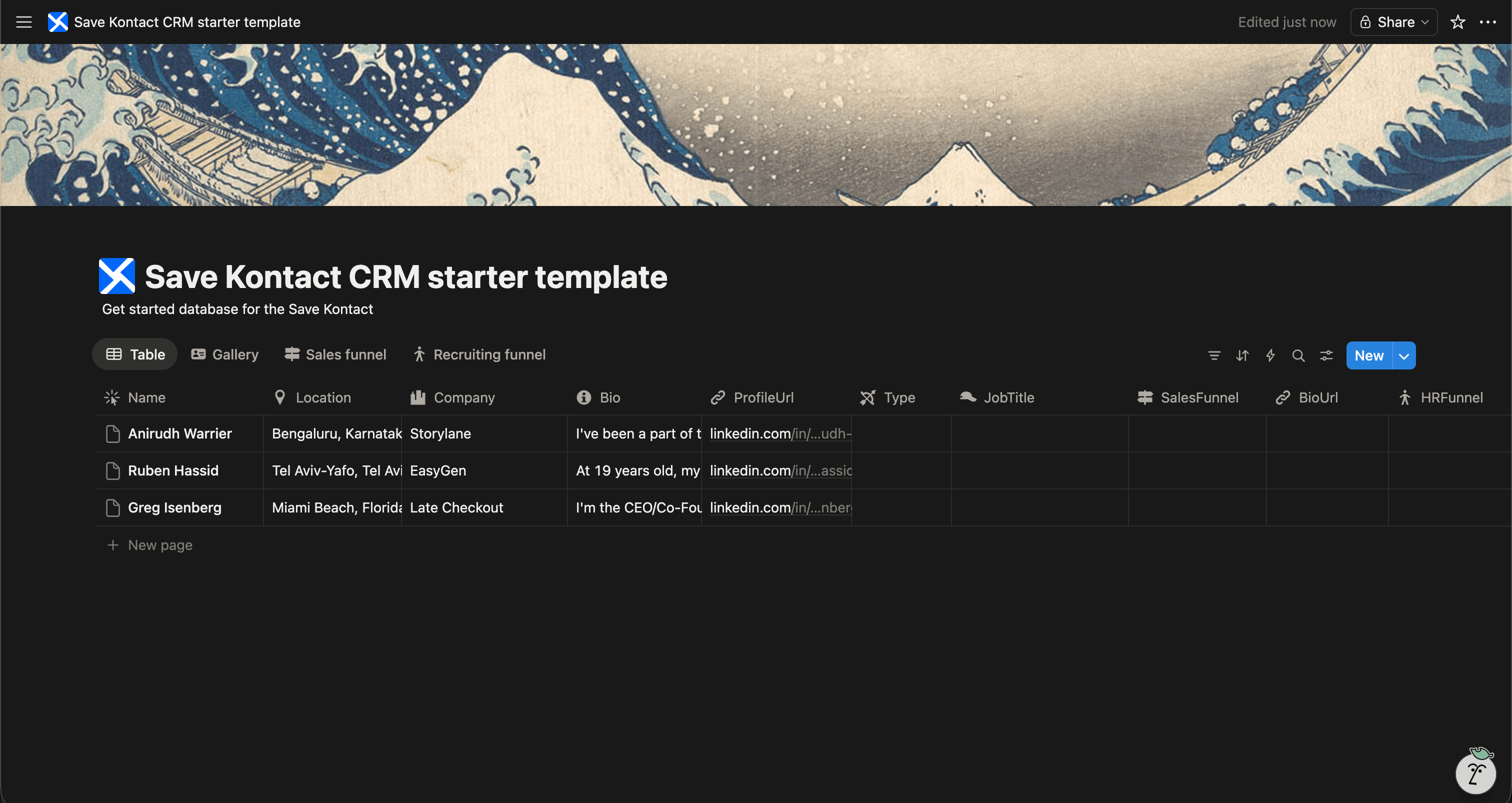
Robust sales tools like Salesforce or HubSpot are great for massive teams, but for lean teams, founders, and indie hackers, they are often overkill. A Sales CRM in Notion provides exactly what you need without the bloat.
To help you start closing deals, we've created a Free Sales CRM Template for Notion.
Get the Sales CRM Template for FREE
Why Build a Sales CRM in Notion?
Notion offers a clean, highly customizable environment to handle your sales cycle.
- Custom Sales Stages: Track deals from "Lead" to "Closed Won" precisely how your sales process works.
- Team Collaboration: Tag team members on deals and share meeting notes seamlessly.
- Deal Values: Calculate your potential pipeline revenue at a glance.
- Centralized Work: Keep your CRM in the same app where your knowledge base and project roadmaps live.
What's Included in the Template?
Our free Notion Sales CRM template is geared strictly toward moving the needle:
- Contact Name & Company
- Deal Value & Expected Close Date
- Pipeline Stage (e.g., Discovery, Demo, Negotiation, Closed)
- LinkedIn URL & Contact Details
- Lead Source & Tags
- Meeting Notes & Next Steps
Download the Free Sales CRM Template
Accelerate Your LinkedIn Sourcing
The biggest bottleneck in sales is prospecting and data entry. Translating a LinkedIn profile to a CRM record is tedious.
SaveKontact fixes that. It's the ultimate bridge between LinkedIn and your Notion Sales CRM.
-
Install SaveKontact: Add it to Chrome.
-
Connect to Notion: Point it to your active Sales CRM.
-
One-Click Saving: Save a prospect's Name, Title, Company, Location, and LinkedIn URL directly into your pipeline with a single click. Save hours every week.
How to use
Here are the action items to get started with the CRM templates:
Get the Free Notion Template
- Duplicate the CRM of your choice in your workspace
- Adapt it to your needs. You can add fields, rename fields, or do whatever you want
- Start populating it with your contacts
- Pro tip: check out Save Kontact, to quickly add contacts from LinkedIn