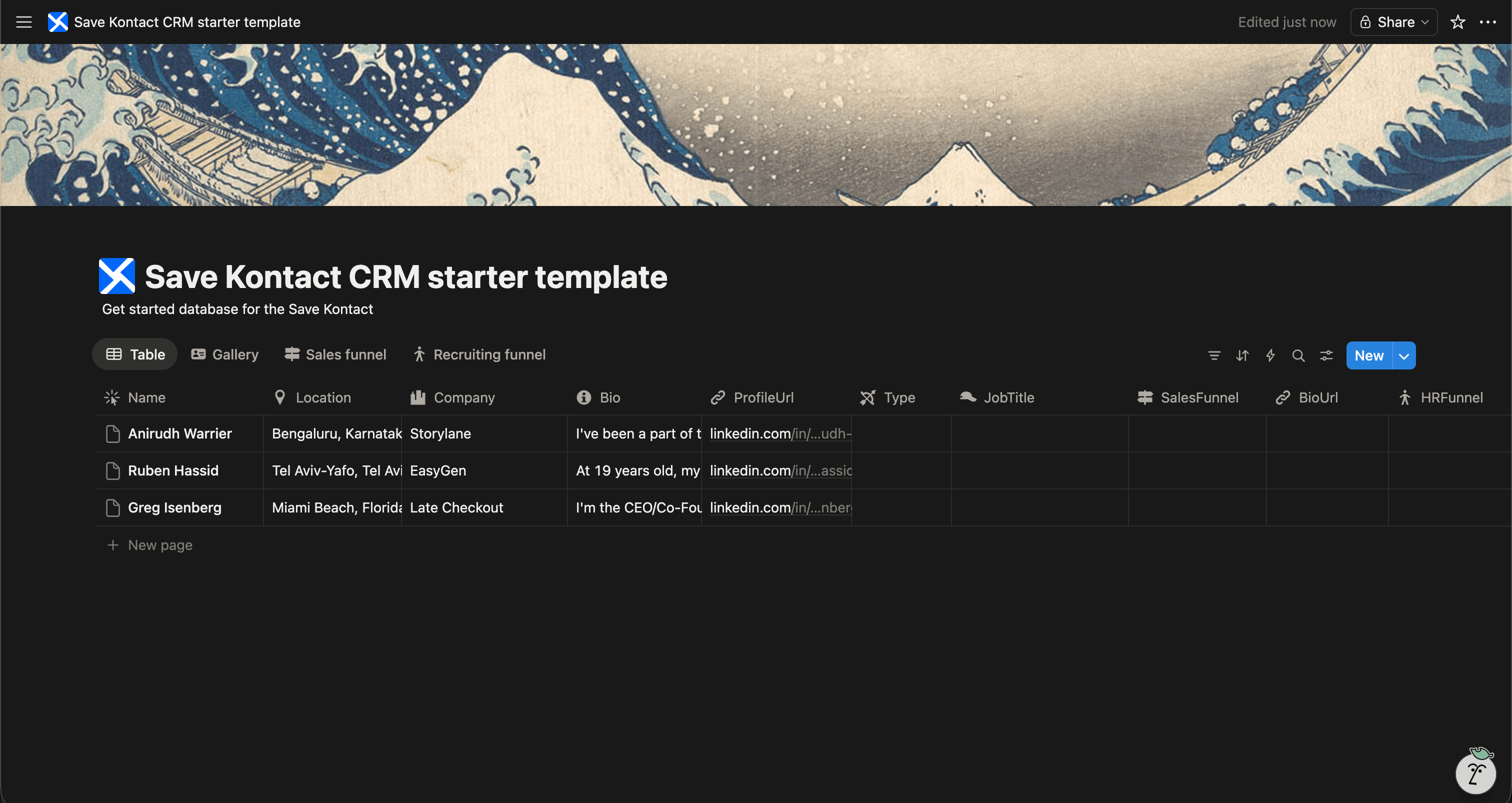
As a freelancer, you wear many hats—and managing your client pipeline is one of the most critical. Instead of paying for rigid CRM software, you can manage your entire freelance business directly in Notion.
We've built a Free Freelance CRM Template for Notion designed specifically for independent professionals and agency owners.
Get the Freelance CRM Template for FREE
Why Use a Freelance CRM in Notion?
Notion lets you connect your client database to your active projects, tasks, and invoices.
- Track Leads: Keep an eye on potential clients and follow-ups.
- Project Linkage: Link a client directly to their project deliverables in Notion.
- Client History: Maintain a log of past work, signed contracts, and notes.
- Flexible Views: View your active roster as a gallery, and your sales pipeline as a board.
What's Included in the Template?
Our free Notion Freelance CRM template helps you stay organized and professional:
- Client Name & Company
- Project Status (e.g., Lead, Pitching, Active, Completed)
- Project Value & Budget
- Contact Information & LinkedIn URL
- Last Contacted & Next Action
- Linked Projects & Invoices
Download the Free Freelance CRM Template
Add Prospective Clients Quickly
Finding new clients often happens on LinkedIn. But transferring that data to your Notion CRM shouldn't slow you down.
With SaveKontact, you can populate your Freelance CRM instantly.
-
Install SaveKontact: Add the Chrome extension.
-
Connect to Notion: Link it to your Freelance CRM database.
-
Save Leads Instantly: When you spot a potential client on LinkedIn, one click saves their full profile to your CRM. No manual entry needed.
How to use
Here are the action items to get started with the CRM templates:
Get the Free Notion Template
- Duplicate the CRM of your choice in your workspace
- Adapt it to your needs. You can add fields, rename fields, or do whatever you want
- Start populating it with your contacts
- Pro tip: check out Save Kontact, to quickly add contacts from LinkedIn