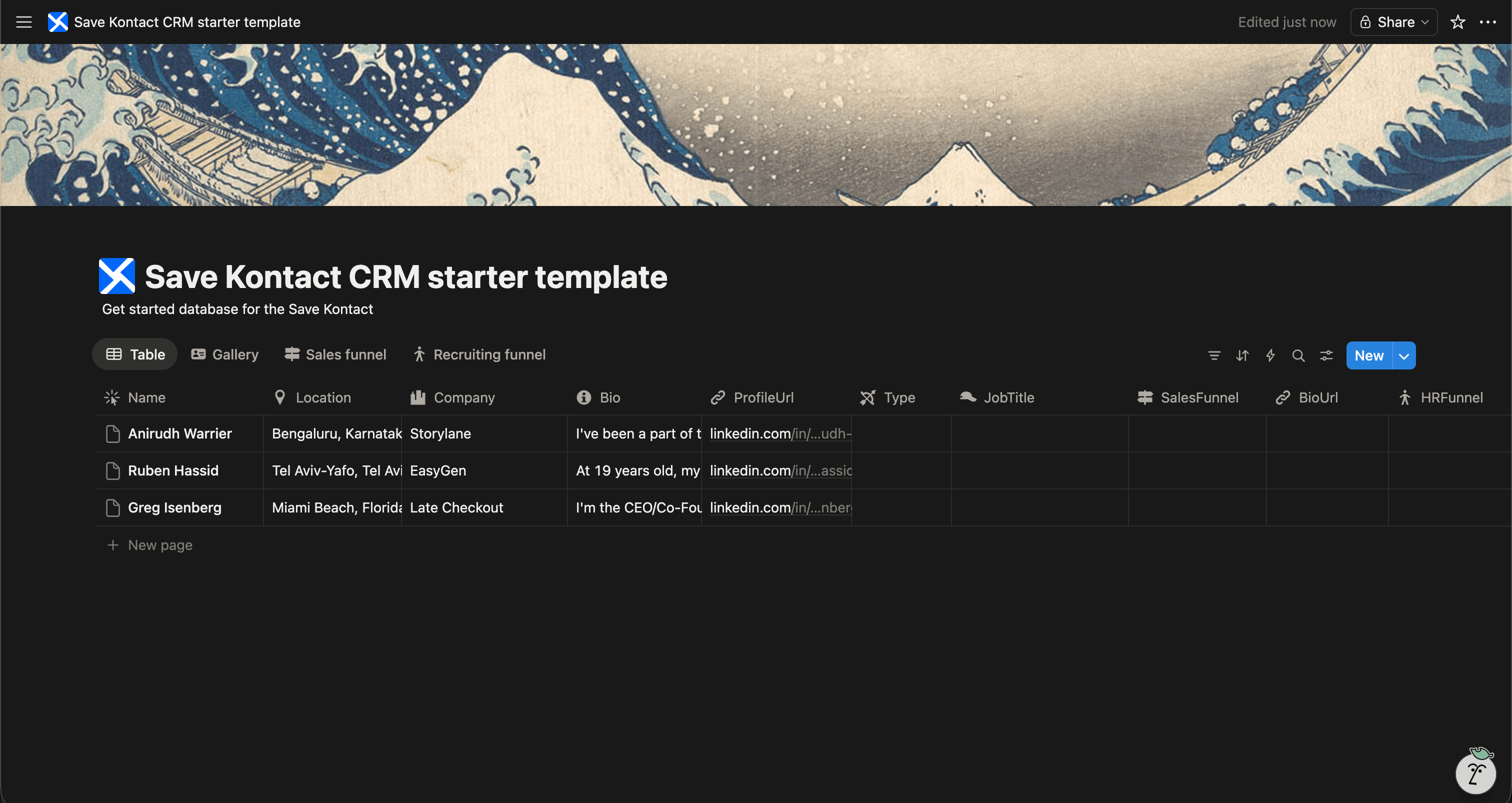
If you are looking for a simple, effective way to manage your contacts, a People CRM in Notion is the perfect solution. Notion's flexibility allows you to build a contact database that works exactly how you want it to.
To help you get started, we've created a Free People CRM Template for Notion that you can duplicate and start using immediately.
Get the Template for FREE
Why Build a People CRM in Notion?
When you meet people at events, connect on LinkedIn, or want to keep track of sales prospects, relying on memory or scattered spreadsheets doesn't work.
A dedicated People CRM in Notion allows you to:
- Centralize your network: Keep everyone in one searchable database.
- Track interactions: Know exactly when you last spoke to someone and what you discussed.
- Categorize contacts: Use tags like Prospect, Colleague, Investor, or Friend to organize your network.
- Customize to your needs: Add properties and views that make sense for your specific workflow.
What's Included in the Free Template?
Our free Notion CRM template is pre-configured with the most useful properties for managing professional relationships:
- Name & Profile Picture
- Job Title & Company
- LinkedIn URL
- Email Address
- Location
- Relationship Status (e.g., Lead, Active, Cold)
- Tags & Categories
- Last Contacted Date & Notes
It's ready to use out of the box, but totally customizable if you want to add new fields.
Download the Free CRM Template
The Best Way to Fill Your New CRM
A CRM is only as good as the data inside it. The biggest friction point with any contact database is the manual data entry required to keep it updated.
Once you've duplicated our Free People CRM template into your Notion workspace, you need an easy way to add people to it.
That's where SaveKontact comes in.
Instead of copy-pasting details from LinkedIn into Notion across 10 different fields, SaveKontact does it all in one click.
How SaveKontact Works with the Template:
- Install SaveKontact: Add the Chrome extension to your browser.
- Connect to Notion: Link the extension to your new People CRM database.
- Save Profiles Instantly: Whenever you visit a LinkedIn profile, just click the SaveKontact button. It automatically maps their Name, Title, Company, Location, and LinkedIn URL directly into your Notion CRM.
It turns a 3-minute copy-paste chore into a 1-second click.
Start Building Your Network Today
Don't let valuable connections slip through the cracks. Grab the free template, set up your workspace, and use SaveKontact to build your personal CRM effortlessly.